Template
Request form app for your team
A request form and tracker for IT, facilities, HR or the office. People ask in one place and see the status, and you work one queue instead of a full inbox. Only your coworkers can open it.
Made for: IT helpers, office managers, facilities, HR
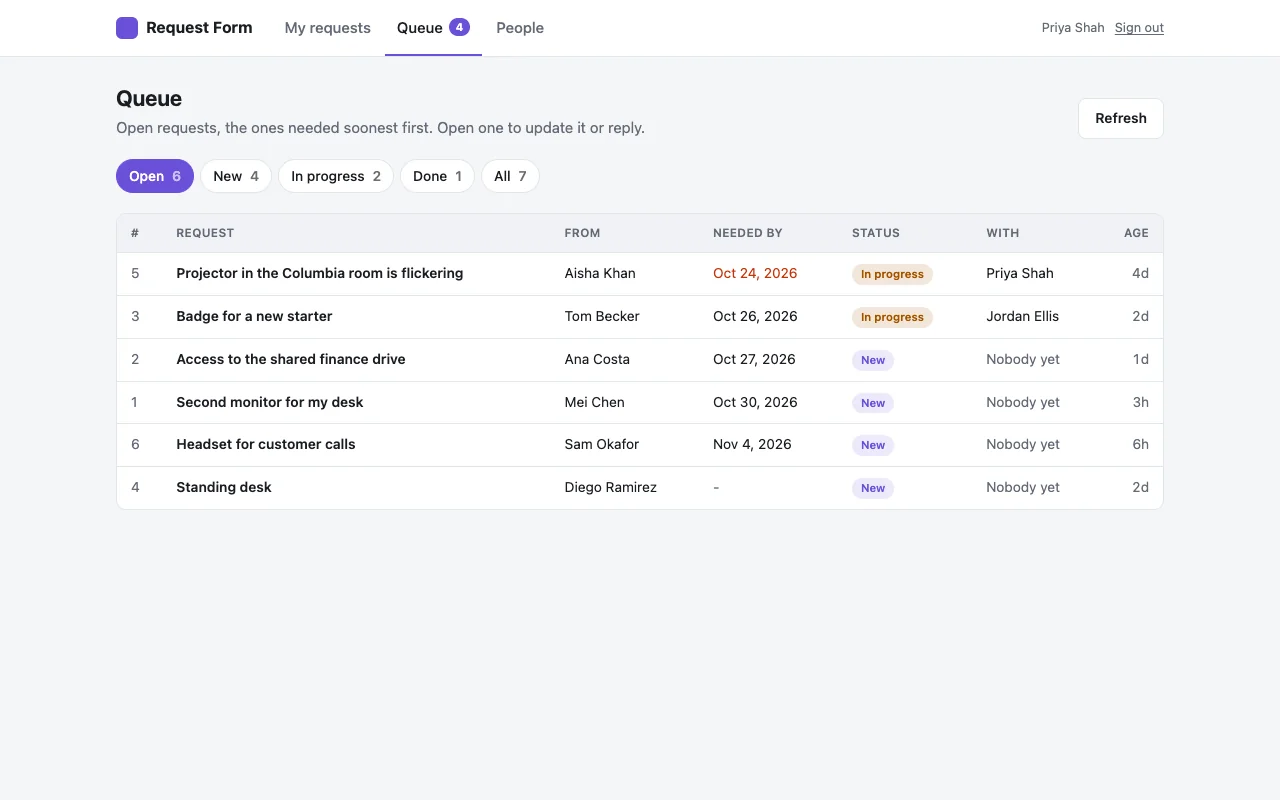
01What it does
What your team gets
One form for every request
What they need, the details, and an optional date they need it by.
A queue your team works
Needed-soonest first, marked New, In progress or Done. Take a request yourself and reply to the person.
People follow their own
Everyone sees the status of their own requests and your reply, and can withdraw one nobody has started.
Slack messages if you want them
Add a Slack webhook and every new request is posted to a channel. Without it, the queue tab shows a count of new requests.
02Roles
Who can do what
Only people who can open the app get this far. Inside it, the owner gives roles to coworkers by work email on the People page.
| Who | Can |
|---|---|
| Everyone who can open the app | Send requests and follow their own |
| People who handle requests | See the whole queue, change status, assign, reply |
| Admins | Change who handles requests and who is an admin |
| The owner (who first deploys it) | Everything |
Who can open the app at all is set by TeamOnly: everyone at your company, or only the people you name with npx teamonly access only.
03Start
Online in a few commands
You need Node.js on your computer, which Claude Code and Cursor users already have. Run these in a terminal.
Make the app
This creates a new folder called
requestswith the whole app and installs what it needs.Try it on your computer
It opens at
http://localhost:5173, signed in as a test user who owns the app.Put it online
Sign in once per computer, then deploy. You get a link like
requests.acme.teamonly.appthat only your company can open.
npx teamonly init --template request-form requestsCreated "requests" from the request-form templatecd requests && npm installnpm run devLocal: http://localhost:5173/npx teamonly loginSigned in as dana@acme.comnpx teamonly deployLive at https://requests.acme.teamonly.appOnly @acme.com accounts can sign in.04Make it yours
Change it by asking your AI
The template is ordinary code in your folder. Ask Claude Code or Cursor for changes in plain words, check them with npm run dev, then deploy again. Some ideas:
Add a dropdown for request type, and send laptop requests to a separate list for IT.
Let people attach a photo or file to a request.
Add a comments thread on each request so we can go back and forth.
Email people when their request is marked done.
05Cost
What it costs
- The template is free. You pay for TeamOnly, which hosts it, after a 14-day free trial with no card.
- Builder, $19 a month: one builder and up to three apps.
- Team, $249 a month: any number of builders and apps, and anyone with your company email can deploy.
- Coworkers who only use the app are free. No seats to buy.
Read the code first
Every template is open on GitHub, with its README. Look at it before you start, or show it to IT.
Can I use it as an IT request form?
Yes. That is a common use. Add the IT team as people who handle requests, and ask your AI tool to add a request type or the fields you need, like the laptop model.
Do people get an email when their request changes?
Not out of the box, but it is an easy change. TeamOnly apps can email coworkers, so ask your AI tool to email people when their request changes. Until then, they see the status and your reply when they open the app.
How do Slack messages work?
Create an incoming webhook for a channel in Slack, then run npx teamonly secrets set SLACK_WEBHOOK_URL and paste it. The URL is kept as a secret, not in your code.
Who can see all the requests?
Only the owner, admins and the people you add as handling requests. Everyone else sees only their own.
Early access
Put your first tool online this week.
TeamOnly is in early access, and every plan is open now. Try it free for 14 days with no card, or subscribe. Either way, your company is ready right away, and three commands put your first app online.
Not ready? Get updates
Questions go to hello@teamonly.dev, and a person answers.